Rob Jackson · Head of Information Management Services at RLB Digital · Information management consultancy
RLB Digital
RLB Digital built a reusable template linking requirements, delivery plans and checks. Shared directory details and classification values reduced repeated entry, while client documents, project adaptation and further connection testing remained part of the work.
RLB Digital · 1 May 2024
RLB Digital built a reusable information management template that connected requirements with delivery plans and checks. A document author could reuse their directory details, and a designer could carry classification from a requirement into a plan. Those small connections formed the basis of a wider hub that the team could adapt for clients and projects.

Executive summary
RLB Digital, an RLB company, developed its Morta-based hub for the information management work of clients and lead appointed parties. It connected agreed coding and information requirements to delivery planning, with returned common data environment metadata supporting the responsible party’s checks and reports. Directory values and classification could be reused without separate entry, while client and programme templates gave the team a common starting point for project-specific resources. Conventional documents remained necessary for client approval workflows. Maintaining the template meant reviewing column definitions, making the interface understandable and testing the connections. IDS export was still being tested, the link between model requirements and delivery planning was incomplete, and further applications and COBie outputs were in development.
Template scale
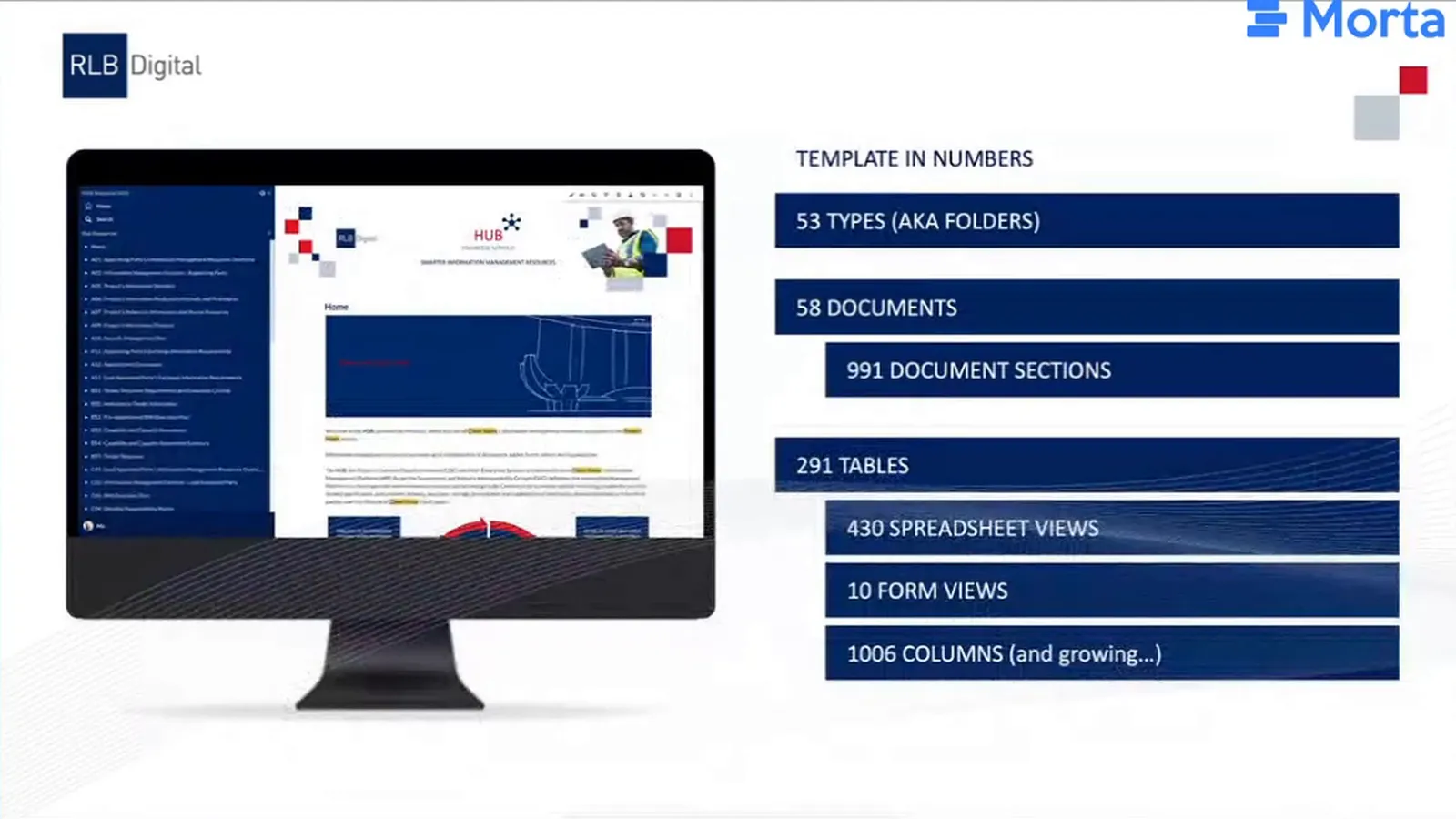
In the presentation published on 1 May 2024, Rob’s template contained:
- 58 documents
- 291 tables
- 430 spreadsheet views
The results
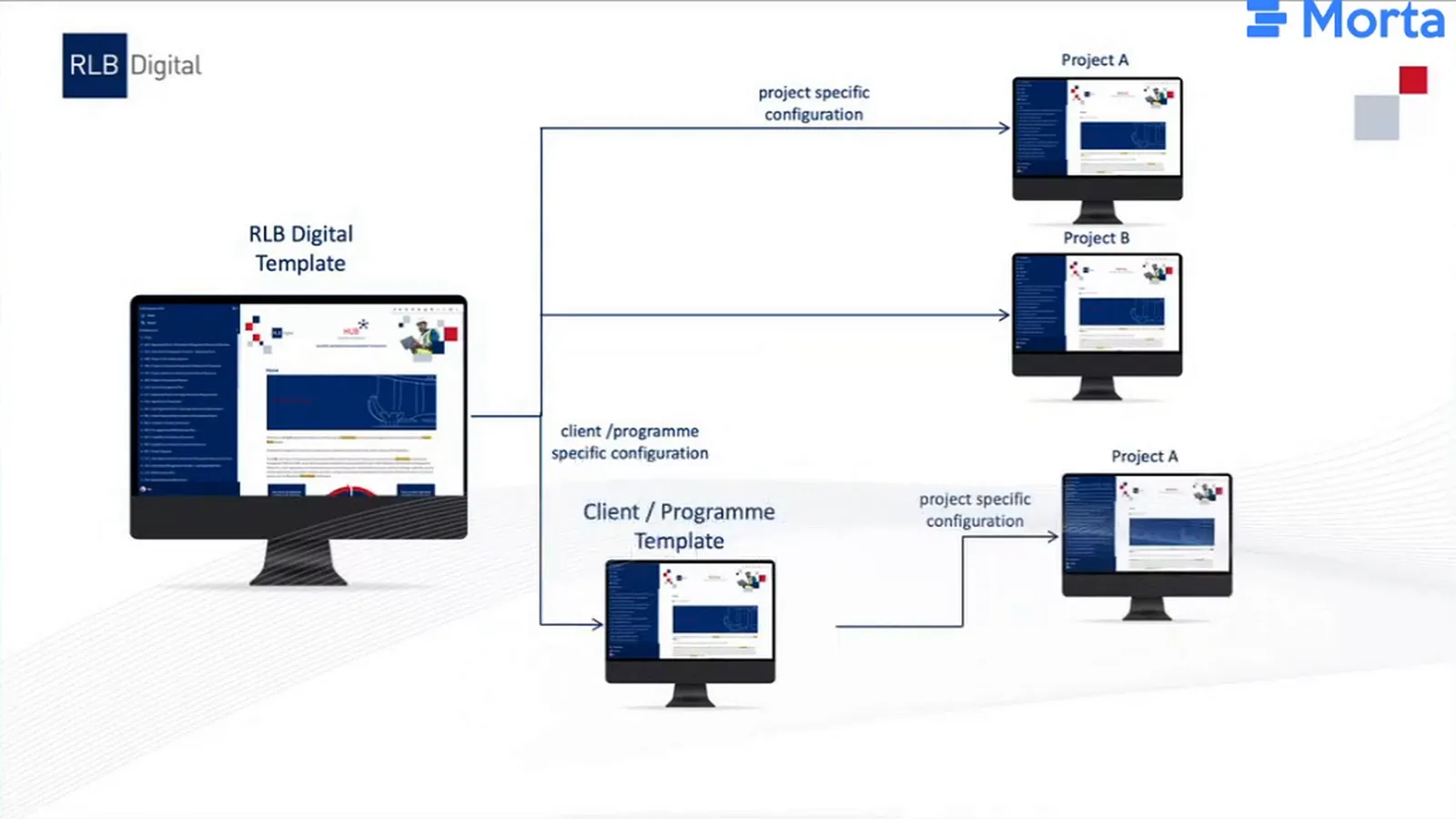
The team had a common template it could duplicate for a project and then tailor. Where a client or programme needed its own requirements, RLB Digital could first adapt an intermediate template and use that as the starting point for individual projects. The team could carry a shared structure into each project while changing the details that the project required.
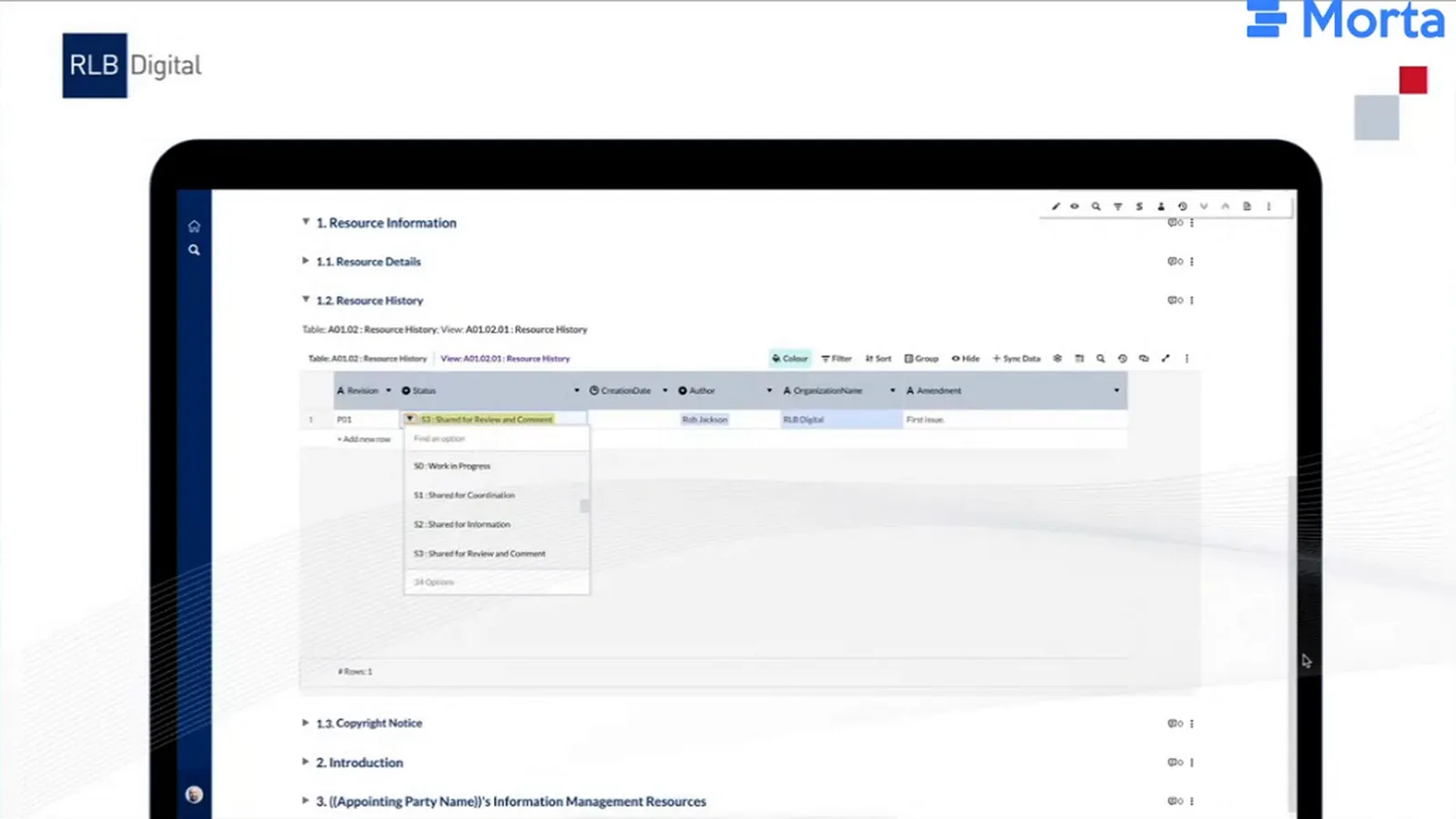
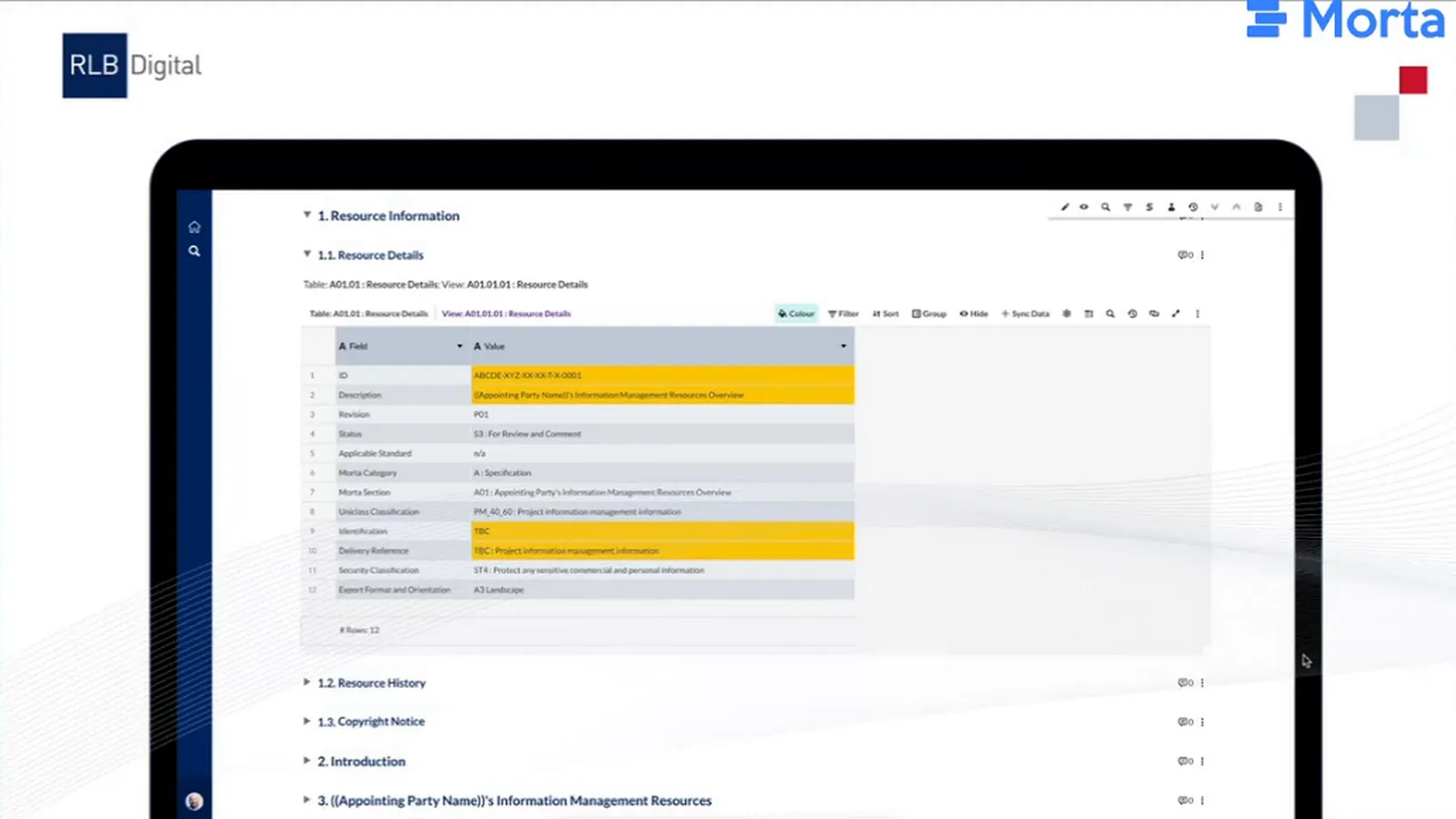
Resource history connected the document author to information already held in the hub. Status choices came from the project information standard, and the author’s name came from the project directory. Selecting the author filled their organisation automatically, removing that separate entry. RLB Digital also retained this history in the document for export, so the recipient could receive it with the document.
The delivery-plan example reused classification from the exchange information requirements. Authors did not have to enter the same Uniclass codes again when building their plan. Rob had developed the template over his first months at RLB Digital and was beginning to apply it to projects, with further connections still being developed.
The challenge
Requirements define the information a team needs to deliver. Planning that delivery before the requirements are agreed leaves the plan without a settled account of what is needed. Rob’s approach began with specifying the requirement, agreeing and checking the plan, then producing and assuring the information against it.
As a consultant, Rob worked with both clients, as appointing parties, and lead appointed parties coordinating delivery. They needed connected resources across those responsibilities. Word and Excel inputs commonly became PDF outputs for suppliers and delivery teams, making the information difficult to connect and reuse through the process.
The client’s document obligations still mattered. Rob had been working with a client who needed conventional documents to pass through an approval workflow in a common data environment, or CDE. The hub therefore needed to produce those documents as well as hold connected information, allowing the client to keep the approval process it required.
The solution
Connect requirements, commitments and checks
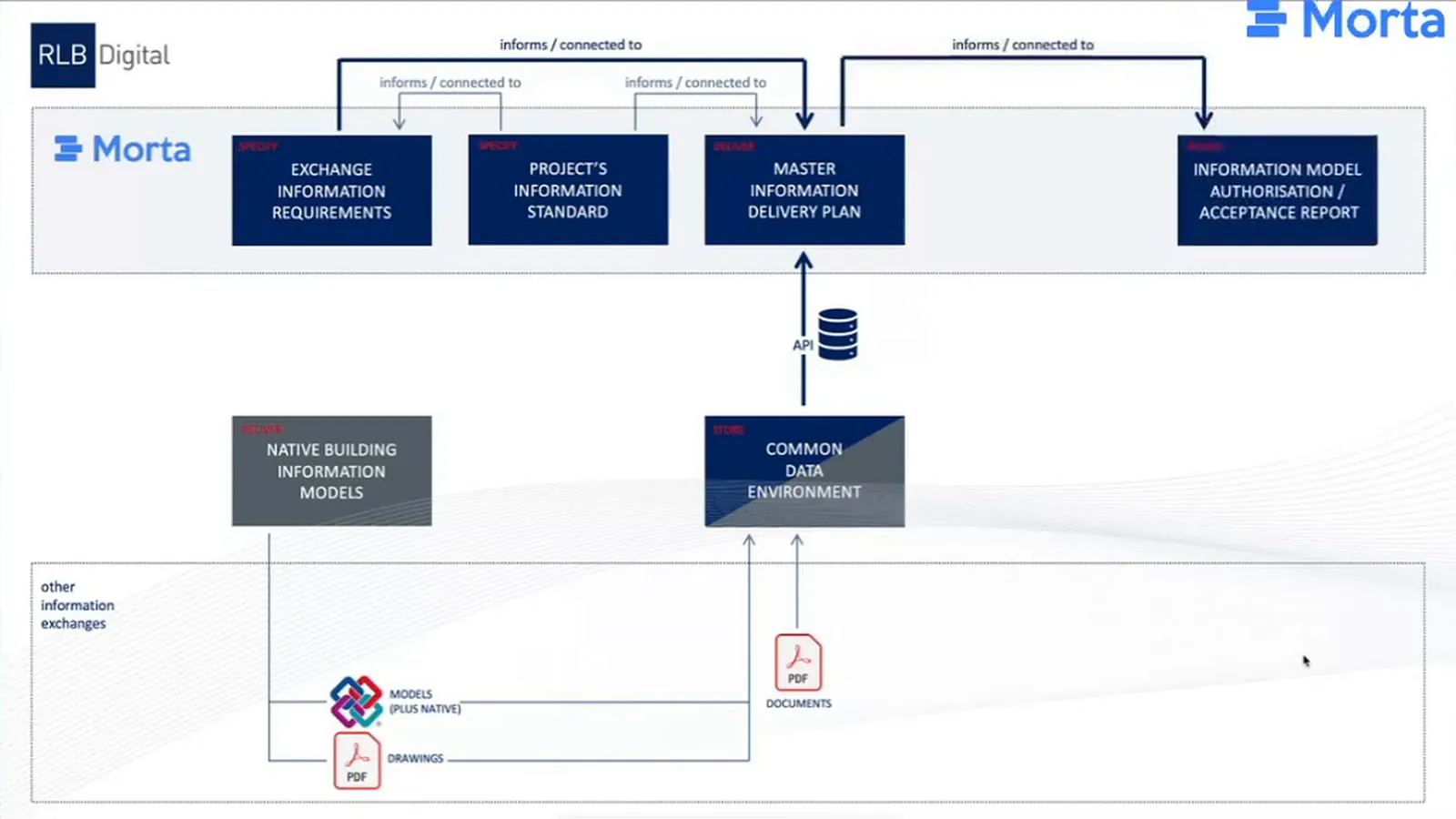
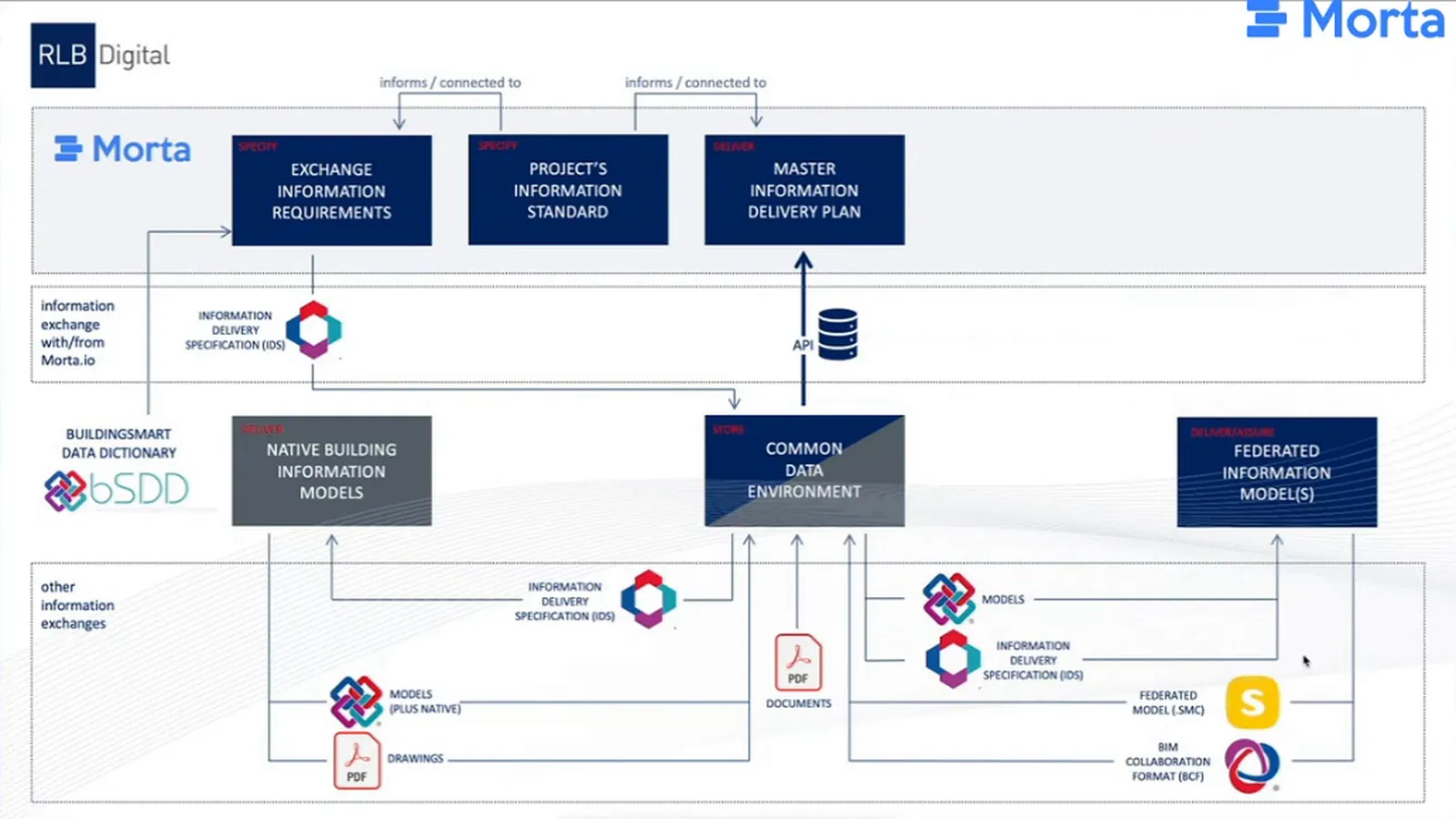
The project information standard supplies the agreed coding used in the exchange information requirements, or EIR. The EIR specifies the information needed, and the delivery plan records what the team commits to producing. In RLB Digital’s document workflow, files went to the CDE and their metadata returned to the hub. The responsible party could use those details to check delivery against the plan. The lead appointed party could then prepare an authorisation report, or the client an acceptance report.
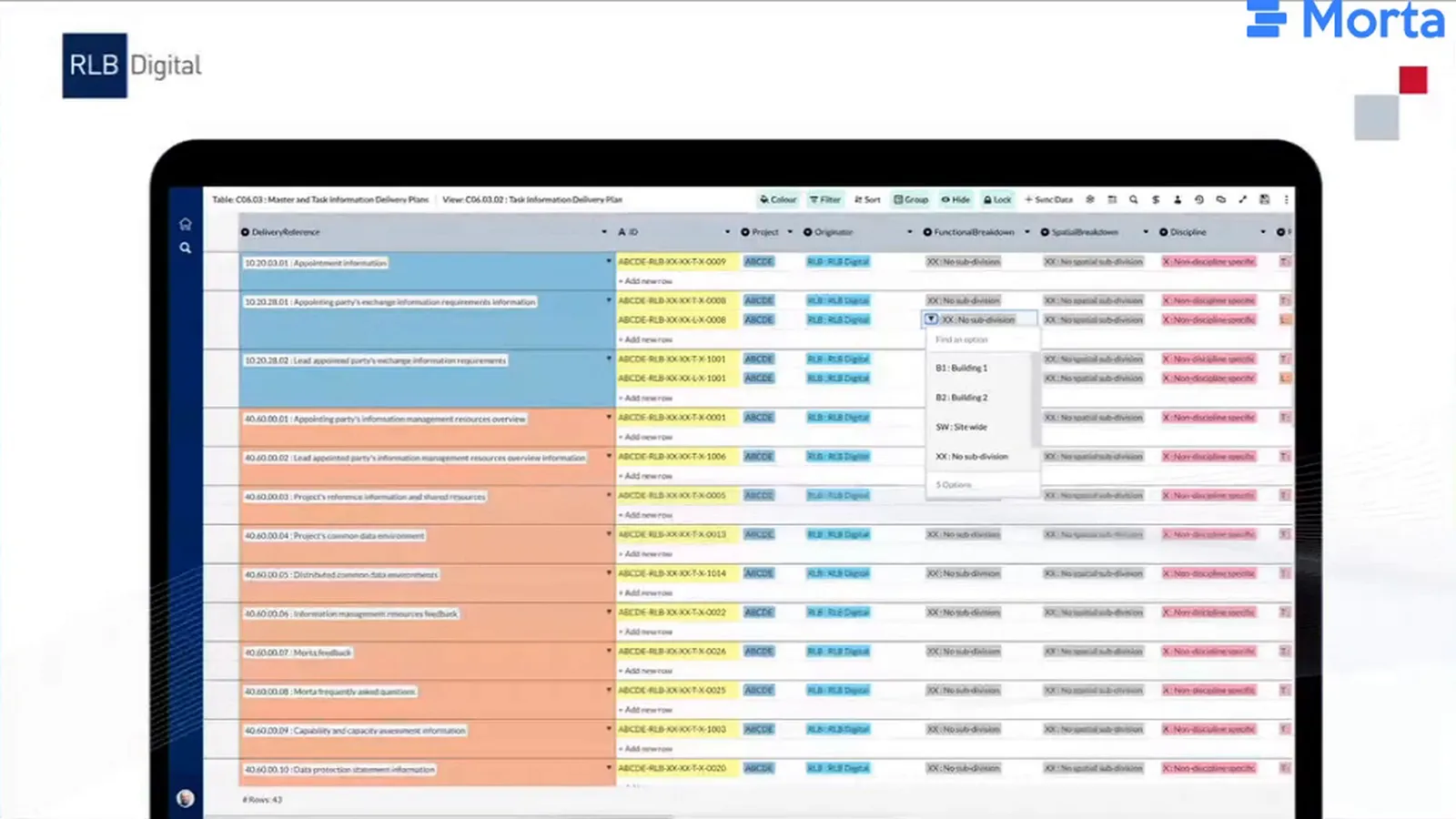
The exchange table gave the person setting requirements a place to select the required exchanges and their dates. Those requirements provided the starting point for the task information delivery plan, or TIDP. The designer could plan the deliverables needed to meet the requirement, rather than begin with an independent list of everything they expected to produce.
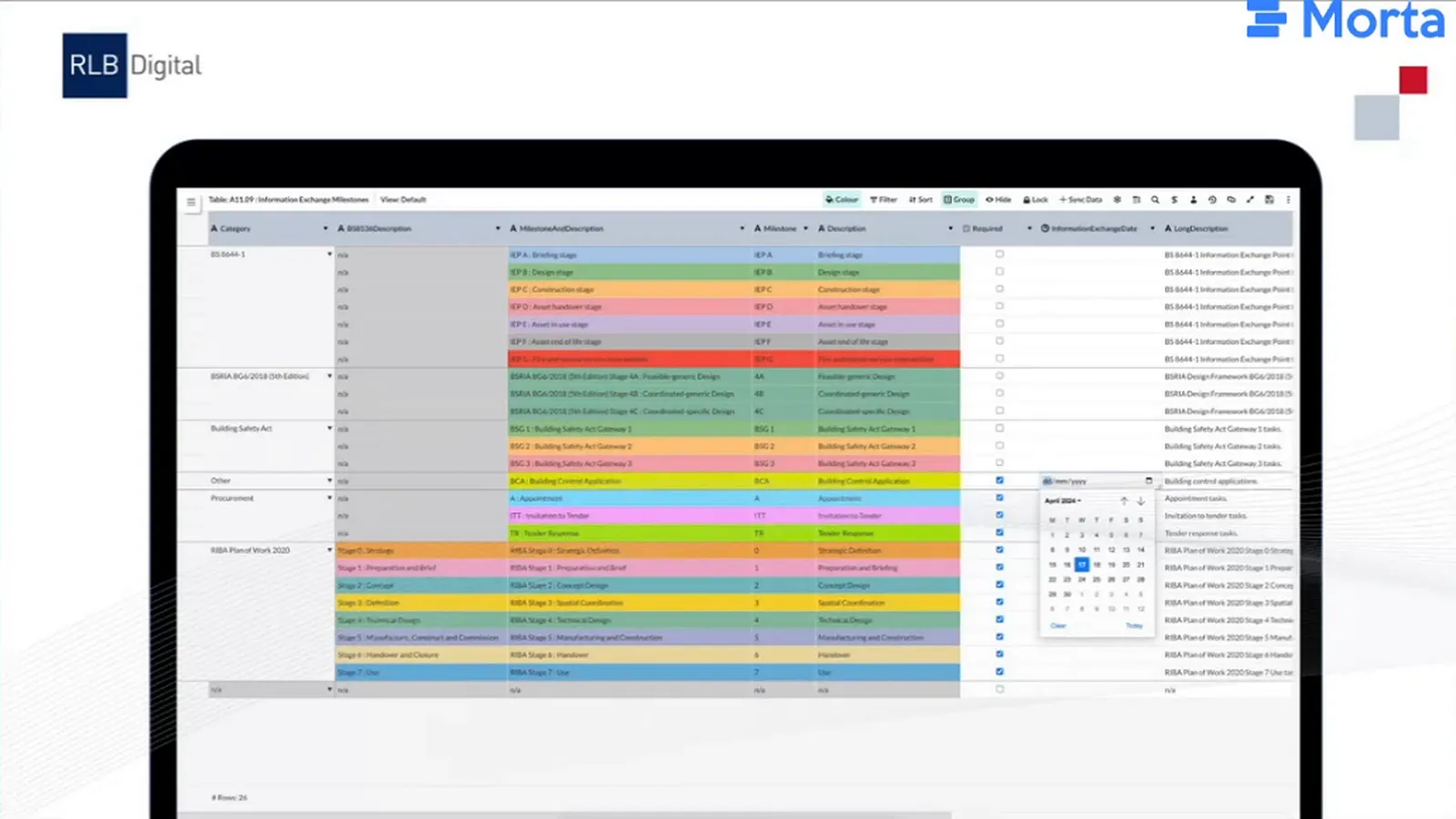
The master information delivery plan, or MIDP, brought the planned information into views organised by a client reference or classification. In Rob’s demonstration project, the classification values came from the EIR. The author could reuse those values, and the client or delivery team could inspect the plan through the grouping relevant to their work.
RLB Digital organised its resources around seven concepts: specify, procure, deliver, assure, store, present and exploit. Its approach drew on the UK BIM Framework and open standards. Morta let the team combine text, tables, forms, video and reporting, with an API for connections to other tools. Tables embedded in documents kept the required data alongside its explanation, and specific views could present the requirements relevant to each party. Conventional outputs could also be used in appointments.
Prepare model requirements for exchange
Model requirements also draw on a data dictionary, such as the buildingSMART Data Dictionary, and the project information standard. Rob’s intended workflow used Information Delivery Specification, or IDS, to exchange requirements in machine-readable and human-readable forms. Model authors would use the specification when producing information, while reviewers would use it to check the received models in a federated environment.
Issues identified through those checks would return through BIM Collaboration Format, or BCF, for the authors to correct. The wider intention included using IFC model data to produce COBie information. The connection between model requirements and the MIDP was only partly resolved at the time.
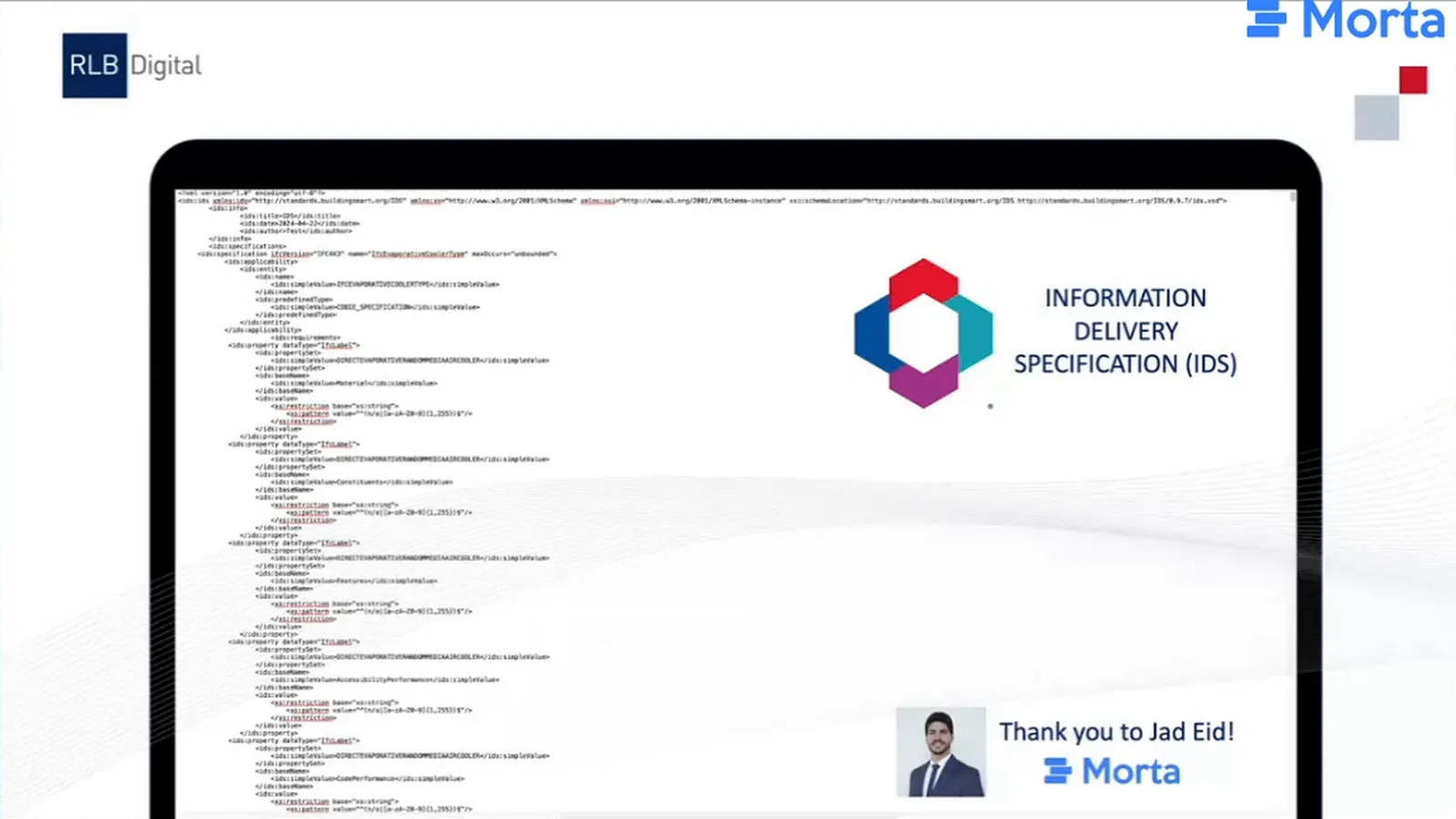
Rob worked through the required and optional information in the IDS specification to decide the table’s columns and structure. A requirement author could then record that information in a consistent form for the hub and prepare it for exchange with other tools. The table needed to follow the specification closely enough for its values to support the export.
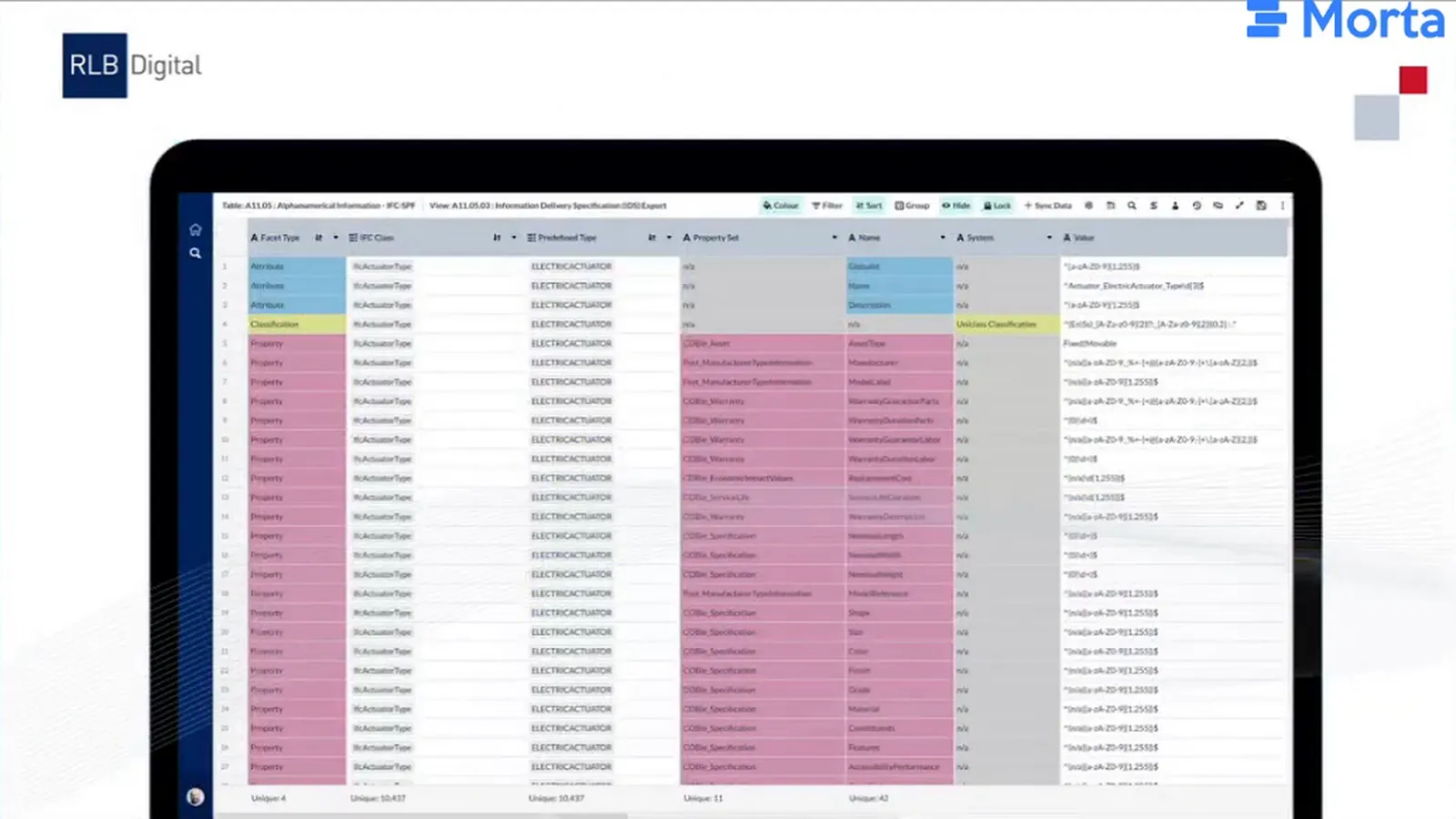
The export itself was still being tested. Rob credited Jad Eid at Morta for helping to produce the file, and his next task was to test the file he had received. He hoped to share the process with the community once it was working as intended.
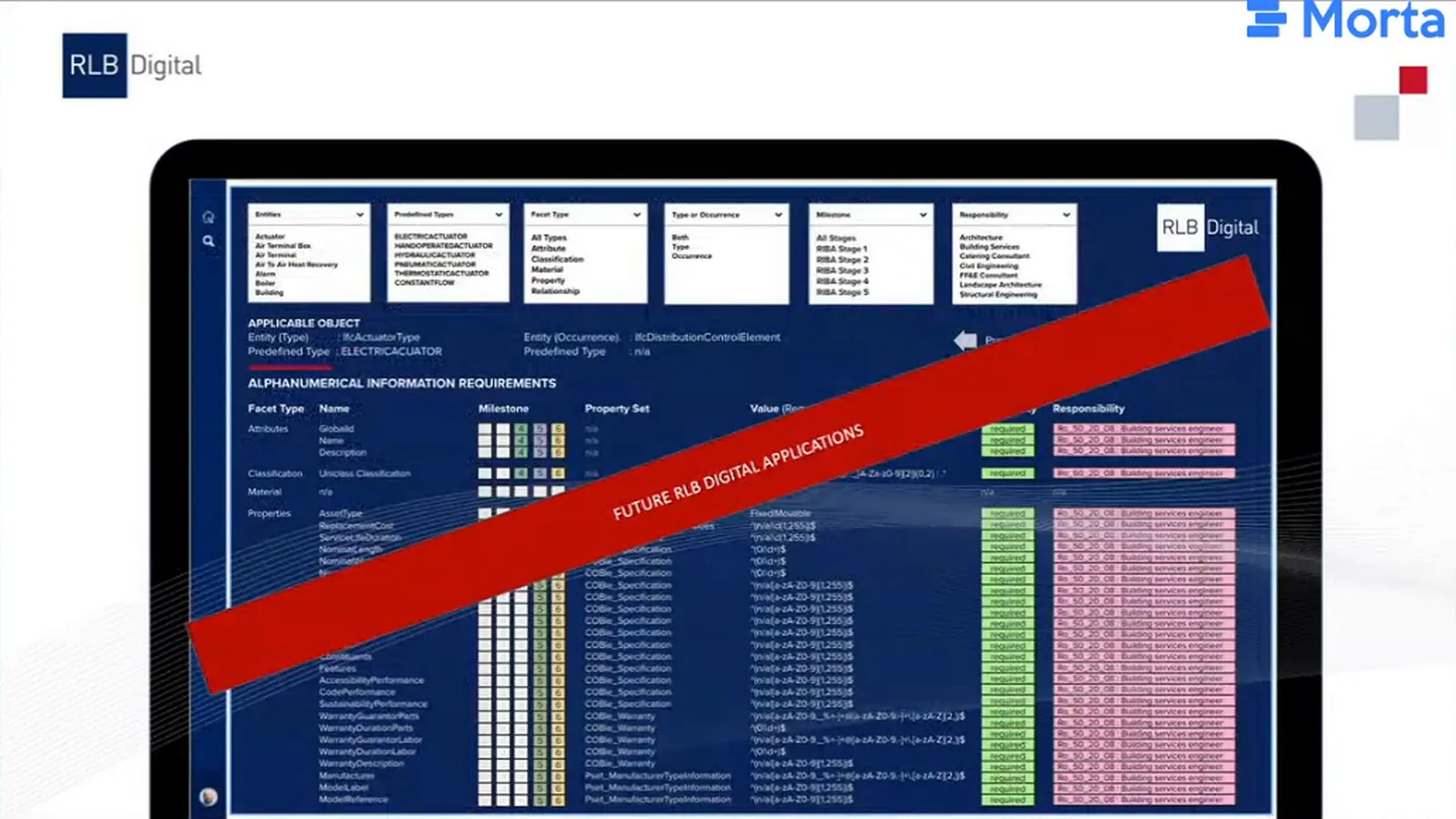
Rob wanted to follow export testing with an application over the requirements data, embedded in Morta. People would be able to search and filter the requirements through that interface. The layout was a proof of concept for the application he intended to develop.
Reuse metadata across the CDE connection
RLB Digital was designing a generic process for connecting the MIDP to different CDEs, while recognising that each could provide different metadata. It also had an application built on SharePoint for clients who wanted a CDE process on that platform. The team intended to develop these connections as it brought the approach into projects.
A floor-plan classification can be set against the requirement for floor plans instead of entered against every individual file. Rob’s proposed flow carried that value through the TIDP or MIDP and into the CDE. The supply chain could then use the defined classification without adding it again for each floor plan. Revision and upload details still needed to come back from the CDE to describe what had actually been delivered.
Rob was also considering where reviewers would record comments and dates. They could enter them in Morta or retrieve them from the CDE if they were already there. He considered both creating CDE placeholders for people to upload into and checking files after upload valid approaches. His preference was the one that required people to enter the same information fewer times.
The implementation
Make the hub easy to navigate
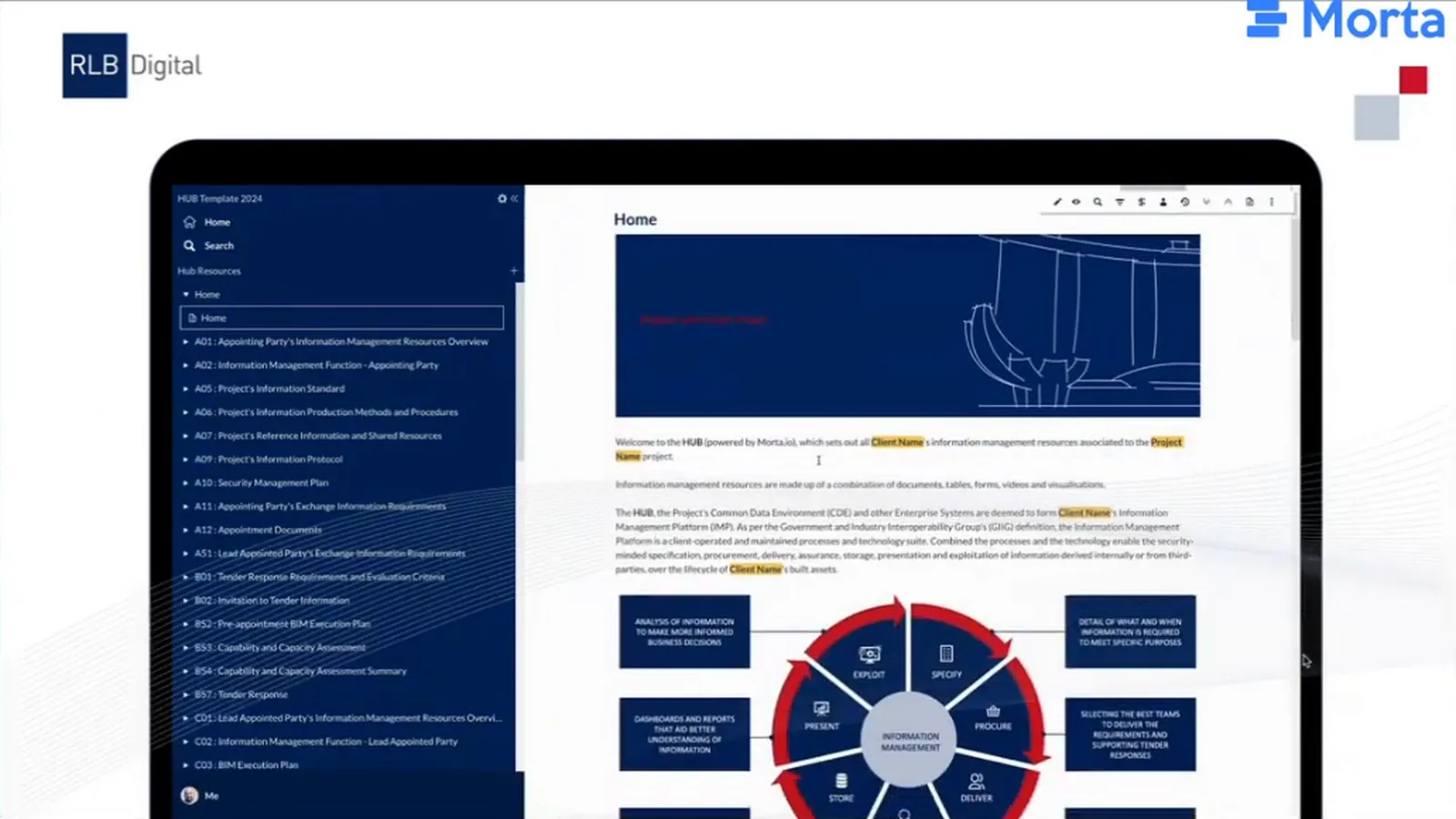
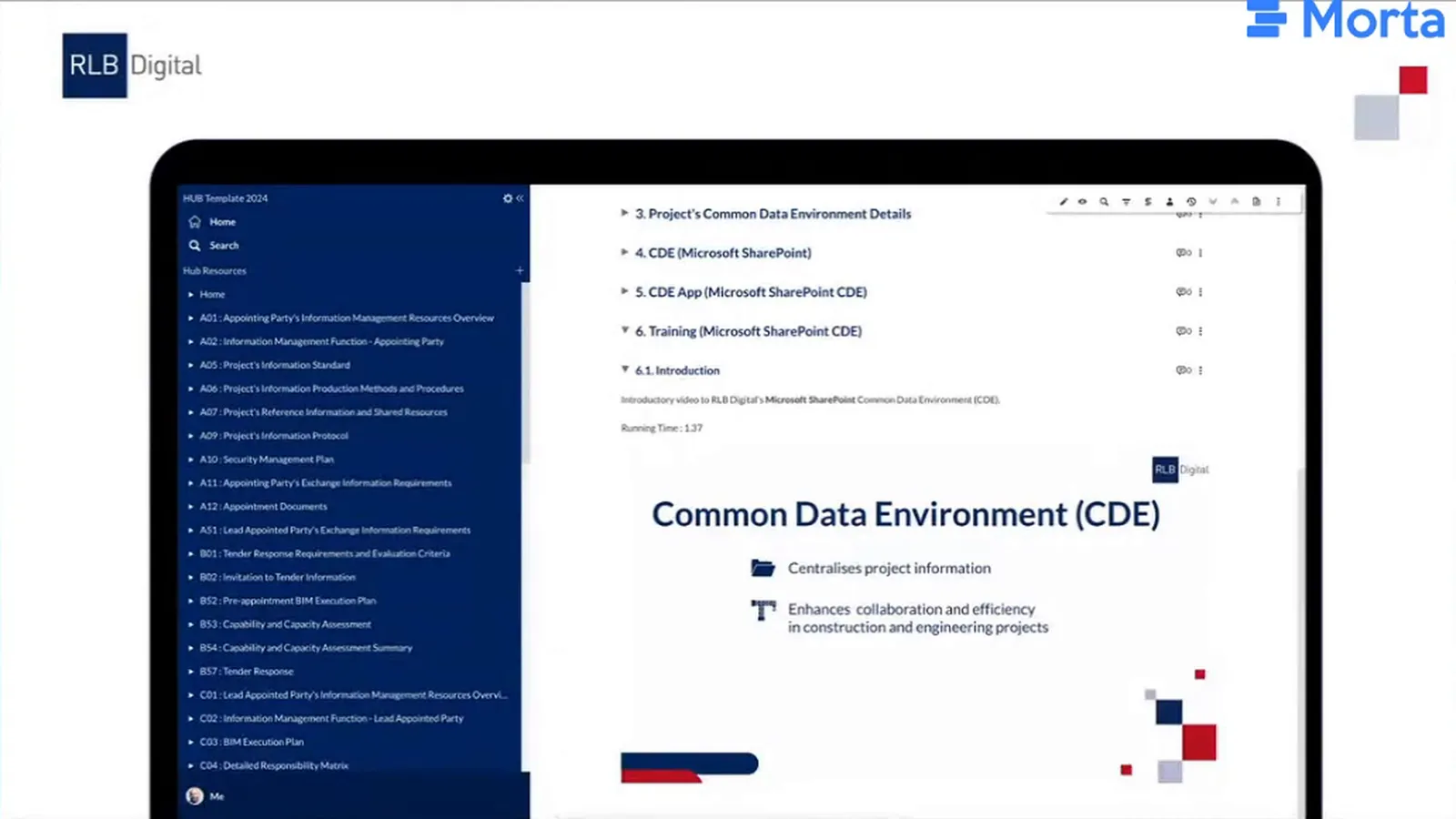
Rob wanted people unfamiliar with Morta to find their way through a front page that felt like a website. Clear labels, a navigation menu and search helped them locate the documents and tables they needed. The team applied RLB branding and table colours where it could, while accepting some compromises compared with a conventional document.
The person adapting a template also needed to see which details required changing. RLB Digital put resource details in a table and marked placeholders in orange, drawing attention to the values to update before producing a document. Written sections retained their own placeholders.
Reuse information for COBie
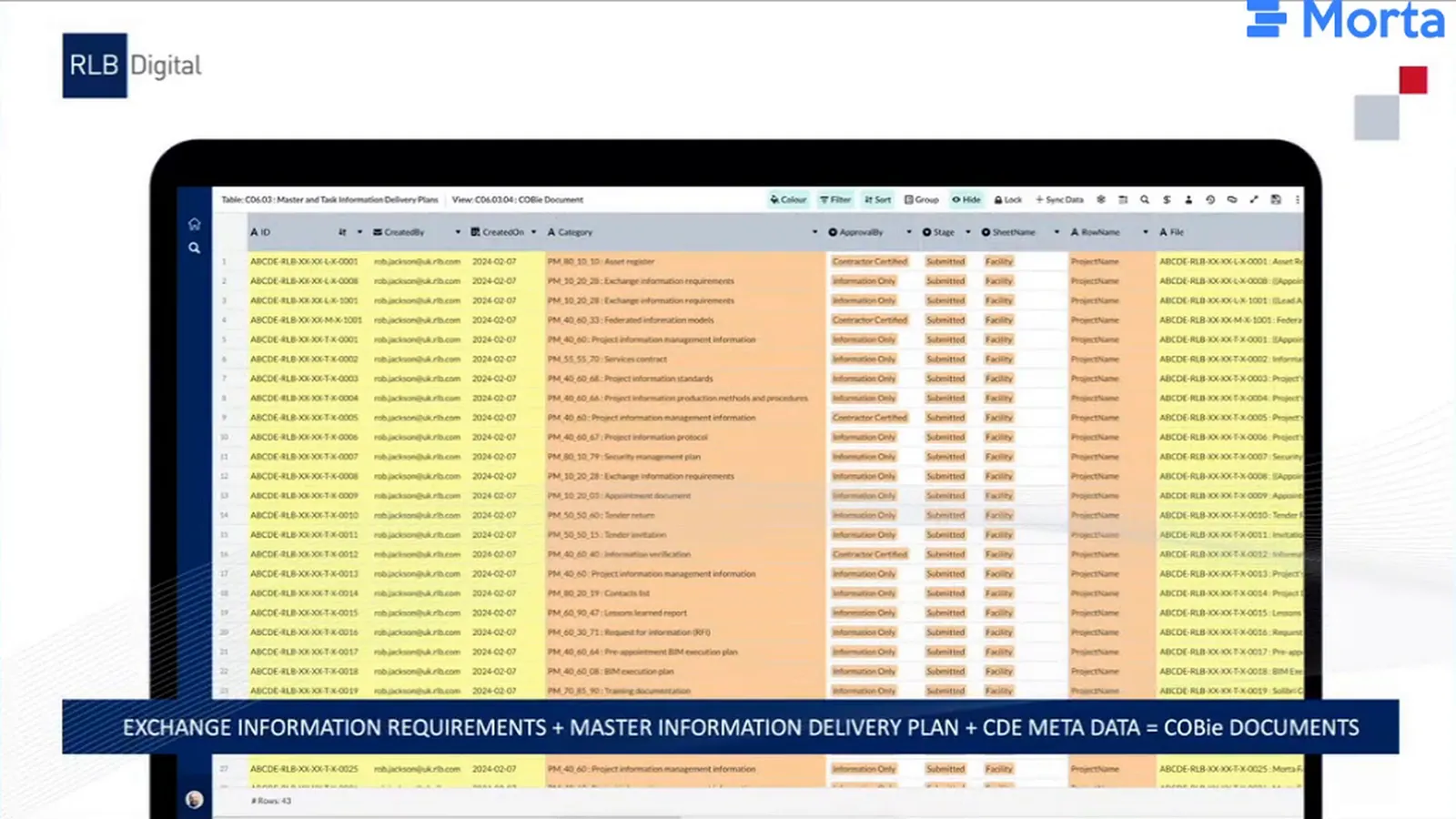
Rob wanted to reuse the information already assembled in the hub when a client requested COBie Document information. His proof of concept combined the EIR, MIDP and CDE metadata in a view of the delivery plan. The team preparing that output could draw on what had already been specified, planned and delivered. COBie Document would become a by-product of that work, reducing the need to assemble it separately.
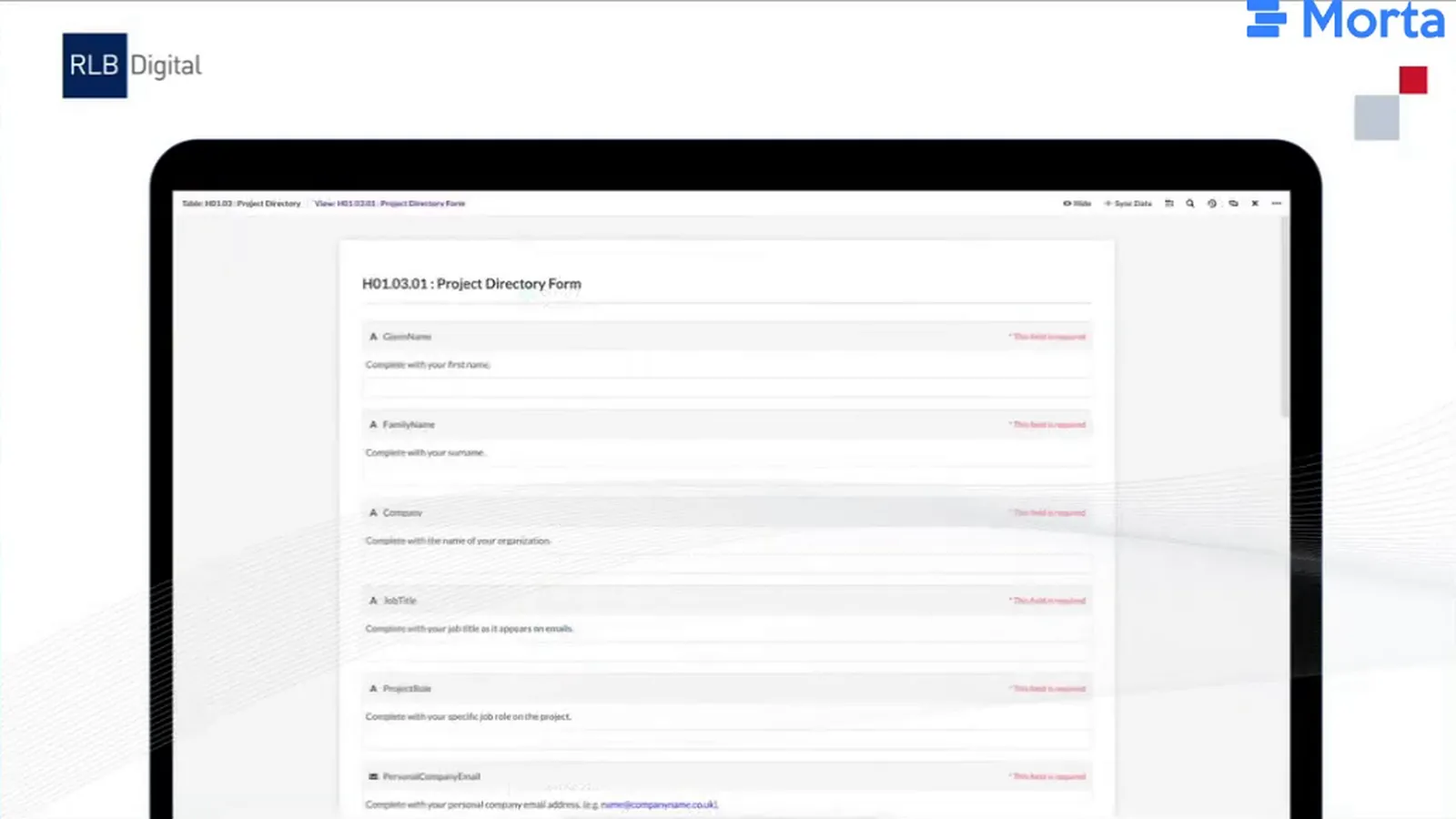
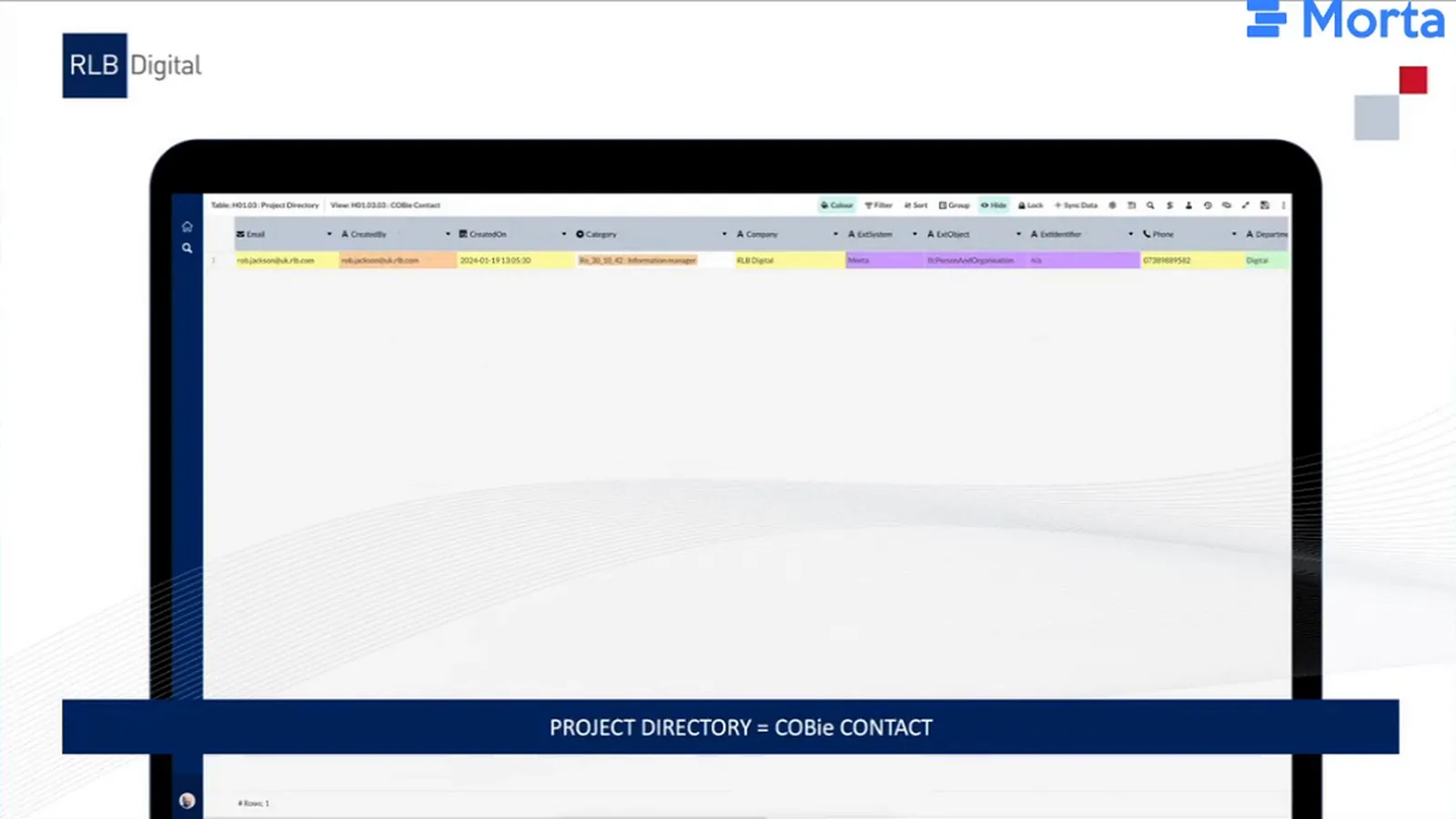
The project-directory example used a simpler connection. Participants could supply their contact details through a form, creating the project directory. The team preparing COBie Contact could reuse that directory information instead of collecting another contact list.
Put reporting and guidance alongside the work
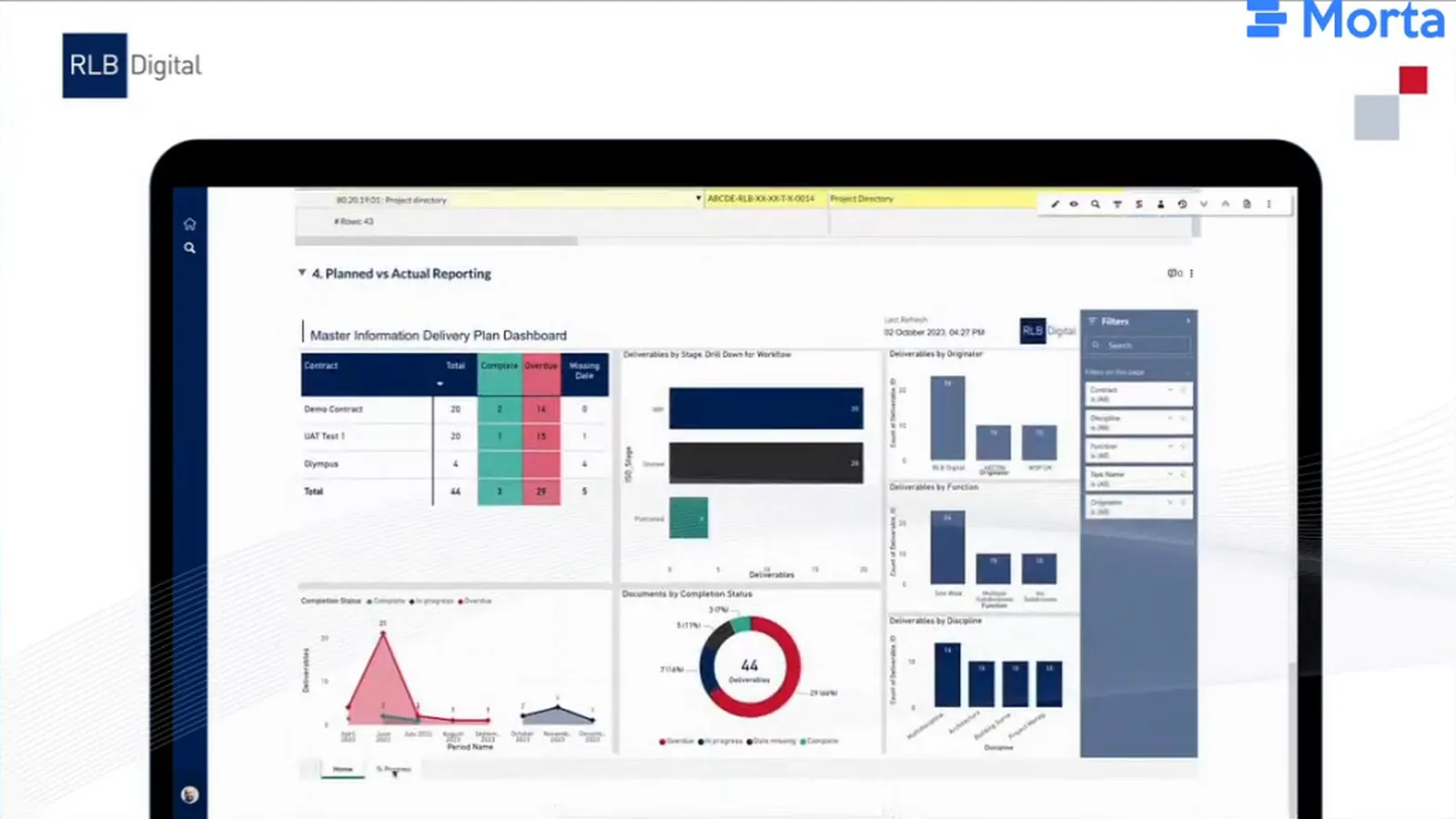
The client could interact with embedded Power BI reporting without leaving the hub. One early example brought a SharePoint-based dashboard into the same document as the delivery plan, putting the plan and its reporting together for the person reviewing progress.
RLB Digital had also begun building CDE training videos and embedding its CDE application in Morta. People learning the process could find training alongside the resources it supported. A fuller training library was planned, while the team was still considering how requests for information and technical queries would be divided between Morta and the CDE application.
The wider approach included a field application for collecting field data and RLB’s Focus reporting in Power BI for assurance, presentation and analysis. RLB Digital intended to use the tools’ APIs to connect that information with the requirements and delivery process.
Use the inventory to maintain the structure
Rob worked down from the seven concepts to menu groupings, documents, tables, views and fields. Recording those fields made it possible to compare their names. Where columns with different names held the same information, he could rationalise them against a shared definition. Around two-thirds of the column names had been aligned with standards, by his estimate.
Regular rows, consistent headers and a clear linkage field make data easier to reuse across tables. Rob applied that preparation to his IFC 2x3 reference work, collecting information from the buildingSMART website, mostly manually, and bringing the structured data into Morta. It supported the IDS work, and he intended to publish the reference through buildingSMART UK and Ireland.
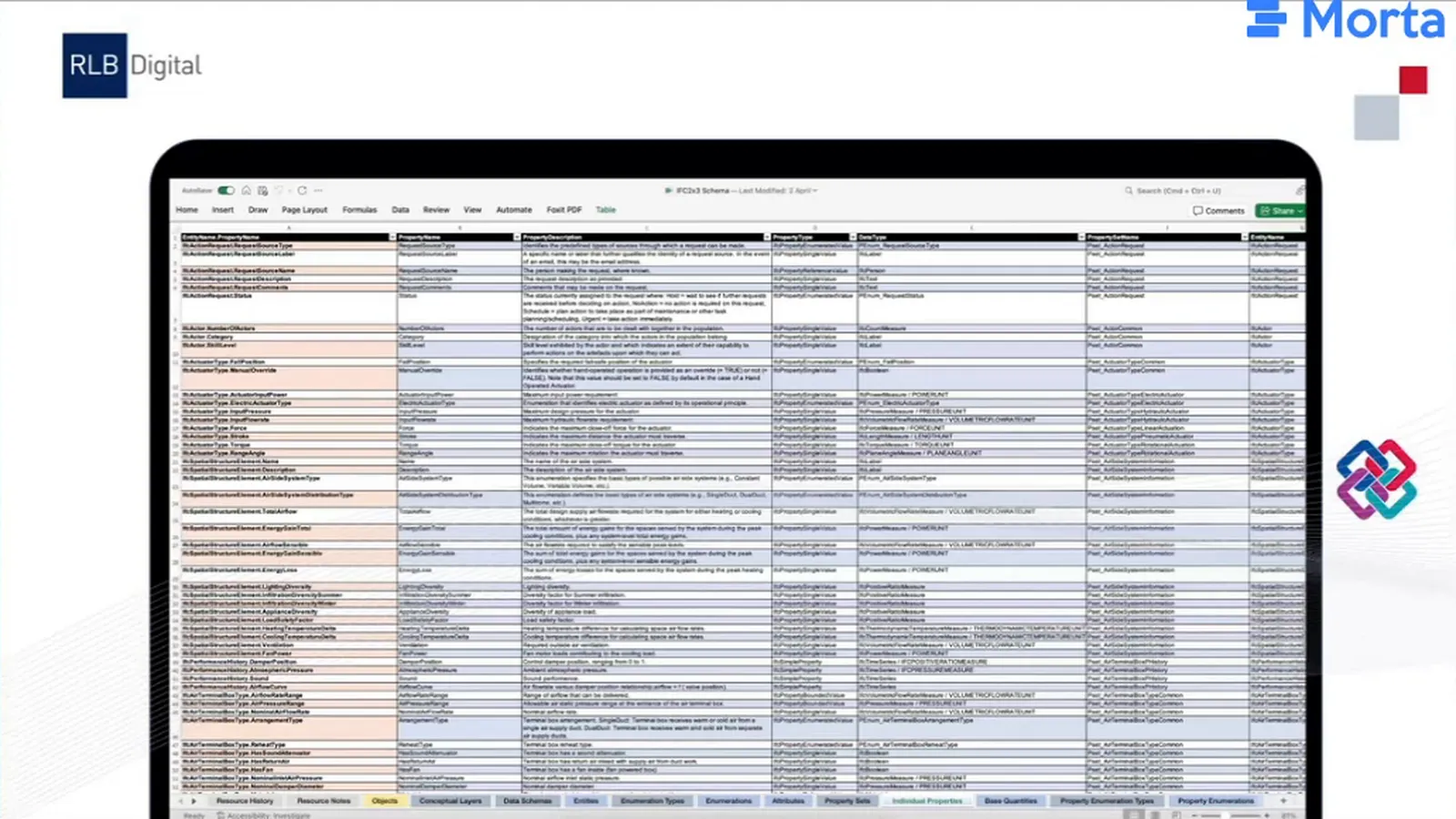
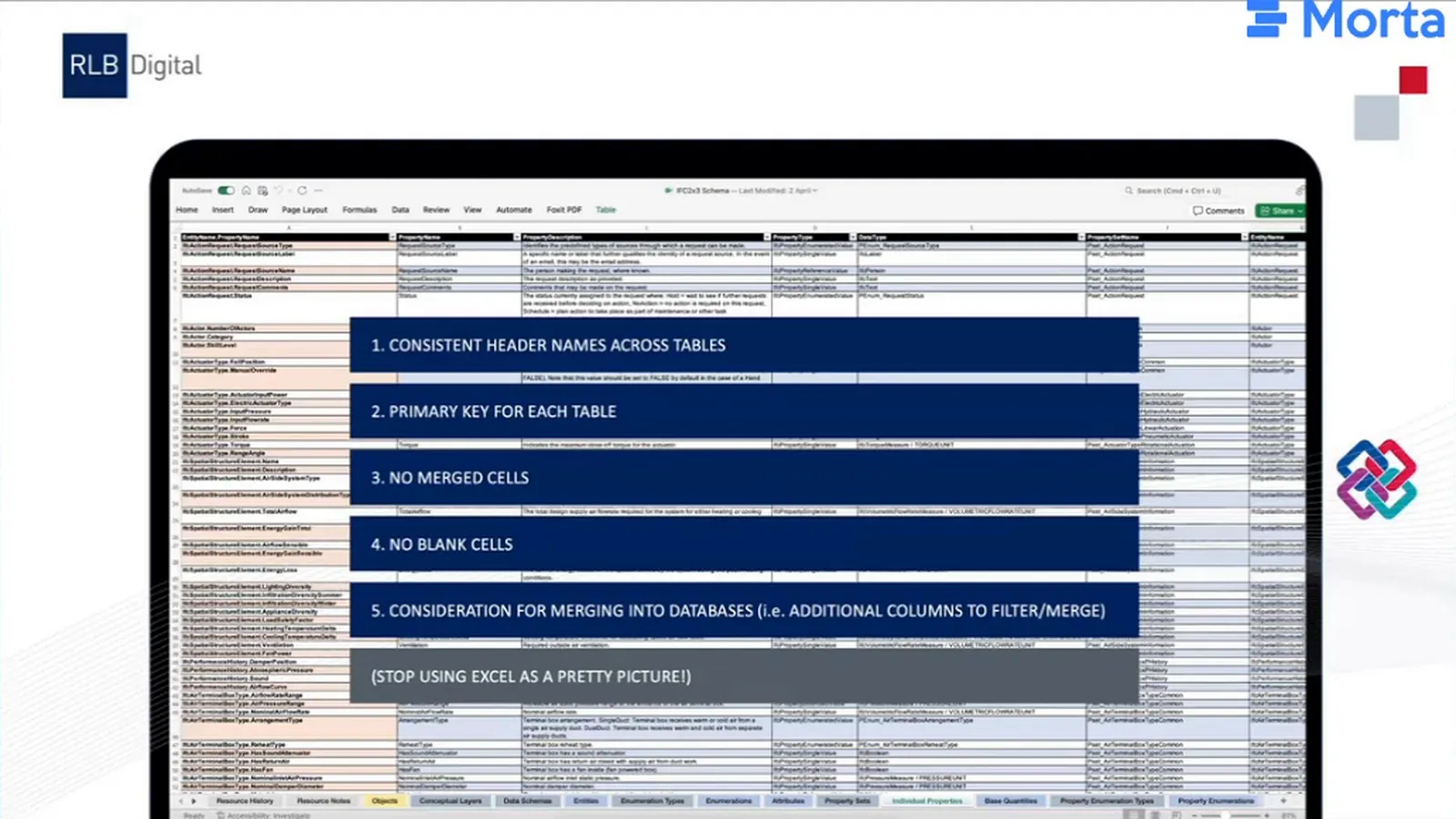
Choosing a primary key gives the builder a main field for linking information between tables. Rob recommended deciding that linkage early and thinking ahead about columns needed for filtering and combining data. In the IFC work, that meant planning how attributes, properties and quantities could be brought together. Avoiding merged cells kept the rows available for that reuse.
Rob also preferred explicit entries to blank cells because a blank could look like information had not yet been supplied. That was part of his emphasis on making the data understandable before moving it between tools.
Test and revise the template
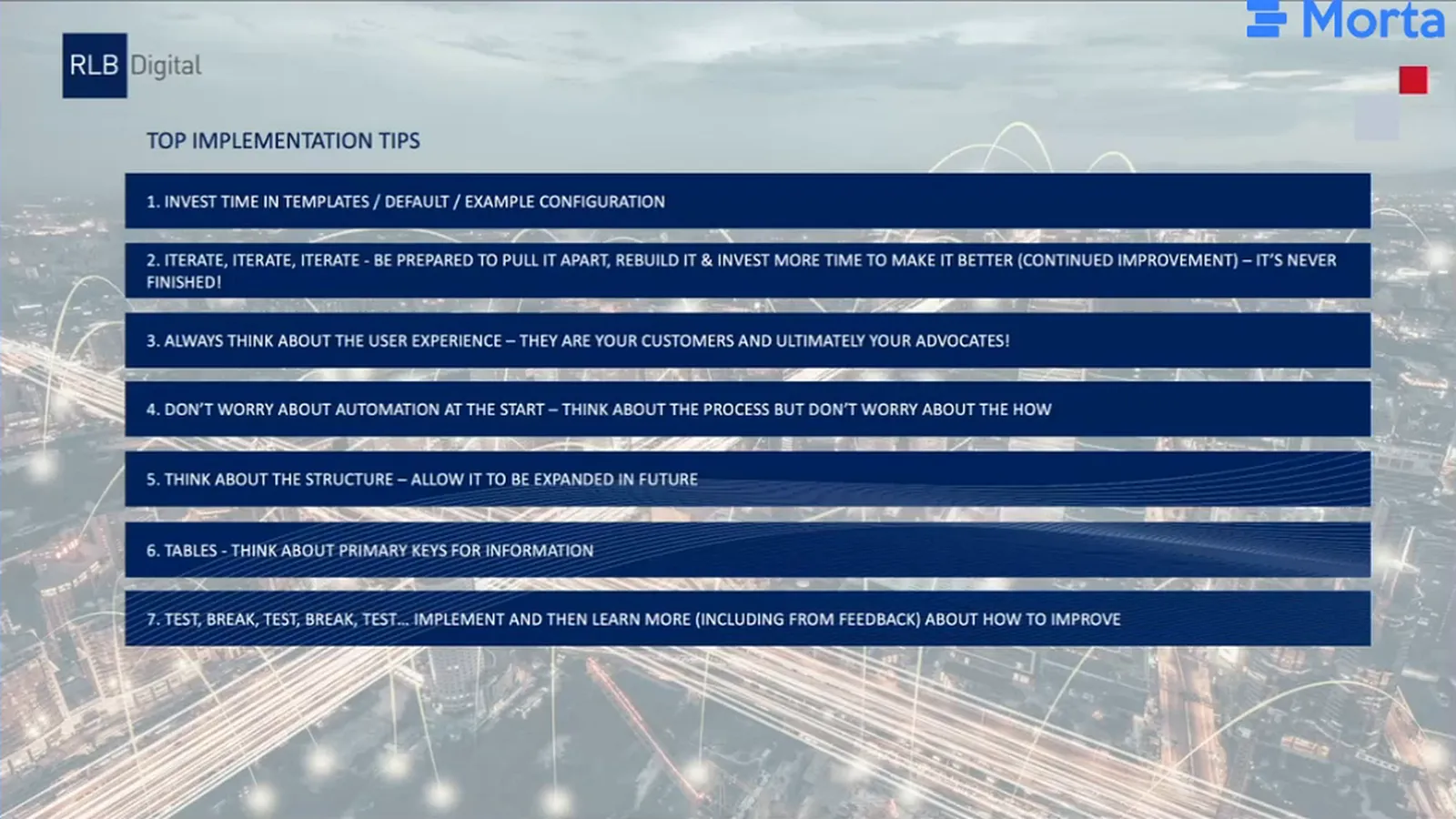
A reusable template needs continuing work as requirements and standards change. Rob recommended investing in a starting configuration, then being prepared to take parts apart and rebuild them. The team maintaining it needed time for that revision and a structure that could accept new information later. He put the experience of unfamiliar visitors ahead of making every step automatic.
His regular-expression work exposed a concrete testing problem. A regular expression is a rule for checking whether a value matches a pattern. Rob asked ChatGPT for a date-time rule, then realised its examples did not include the date-only value he also needed to accept. Revising the request to include dates and date-times addressed that omission, but he still needed to test the rule. The builder had to check the accepted inputs against the requirement, even when a tool generated the expression.
Rob’s advice was to connect and prove the process before trying to automate every part. He recommended trying values that could break it, considering controlled lists and taking feedback from the people using it. Those tests would show the maintainer where the template needed to change.
Before and after
| Criterion | Traditional approach described | RLB Digital template shown |
|---|---|---|
| Starting a delivery plan | A designer could begin listing deliverables before requirements were agreed | The TIDP connected to defined exchange requirements |
| Classification in a plan | Authors could need to enter classification separately | The plan reused classification from the EIR |
| Resource history | Details were maintained within individual documents | Status and author came from existing lists, with organisation filled from the author selection |
| Starting another project | Resources were assembled or adapted for the project | A common template could be duplicated and tailored through client or programme versions |
| Client approval documents | Conventional documents passed through the client’s workflow | Conventional outputs were retained alongside the connected hub |
About RLB Digital
RLB Digital is an RLB company working with data and digital processes in the built environment. Rob’s work focused on its information management and BIM consultancy, within a wider offer that included applications and reporting.
What’s next
At the time of the presentation, Rob’s next steps included testing the IDS export, completing the model-requirements link to delivery planning and developing the application interface. Conventional outputs also needed more work. As the team adapted the template for projects, testing and feedback would guide which parts to revise and which connections to develop further.

